iPhone Duo for 3D Modeling: Apple Pencil Support Explained | TOP 3D MODELER
Apple's first foldable is available October 23 — but the stylus story is more complicated than the headlines. Pencil support is only announced as later this year, it's the USB-C model only, and we have not verified any 3D app on the hardware. Here's the honest picture.
What iPhone Duo actually changes
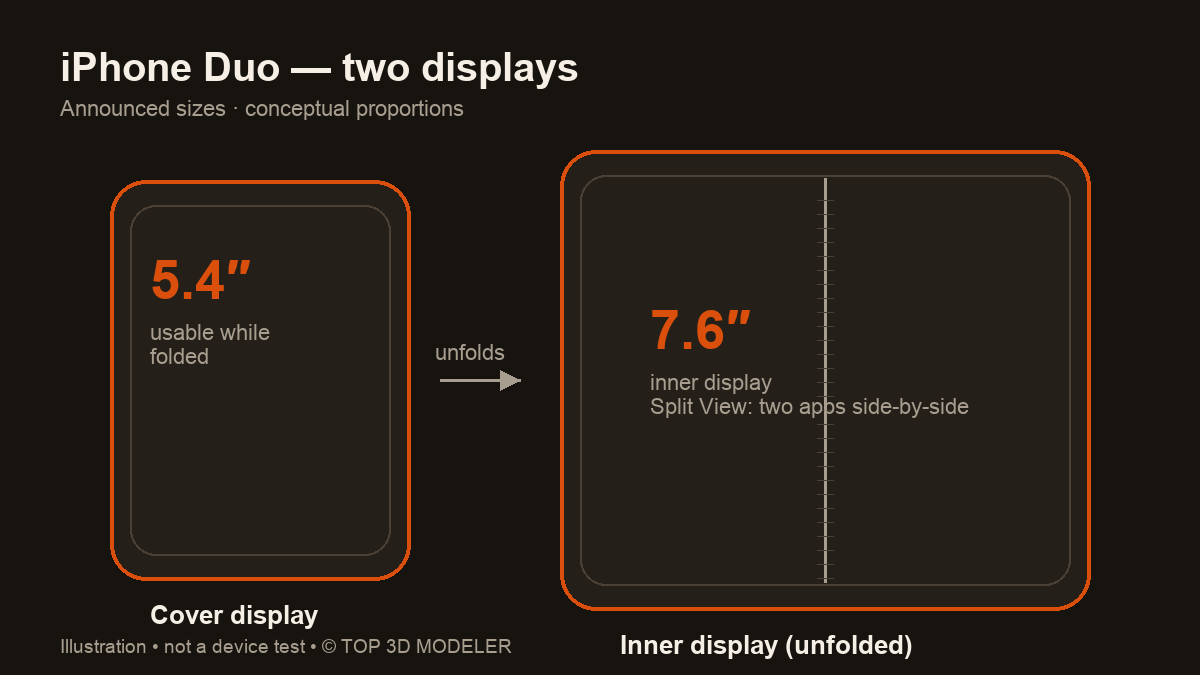
The pitch is simple: an iPhone that unfolds into a small tablet. Apple announced iPhone Duo on September 9, 2026 with a 5.4-inch cover display and a 7.6-inch inner display, an A20 Pro chip, and iOS 27.1. Split View runs two apps side-by-side — including two windows of the same app, like Safari.
For 3D work that reads well on paper. Mesh editing, reference browsing and file juggling all benefit from screen area — the usual reason people reach for an iPad instead of a phone.
But the important word is announced. As of this writing the phone is unreleased, and every capability below is a published spec — not something we have verified on hardware.
The Pencil story: USB-C only, and later this year
Apple's iPhone Duo FAQ answers the headline question directly: "Yes. iPhone Duo will work with Apple Pencil (USB-C)." The specs page groups that support under both displays — cover and inner — with a footnote: coming later this year.
Two consequences matter for 3D modeling:
- Timing. The phone is available October 23; Apple has only said Pencil support comes later this year — no activation date or iOS version, so don't assume it works at launch.
- Which Pencil. The USB-C model is Apple's entry stylus. Its comparison page lists tilt sensitivity — but no pressure sensitivity, no wireless pairing or charging (it pairs over the cable), no double-tap, squeeze, barrel roll, haptics or Find My. Hover isn't confirmed either: Apple's hover footnote names certain iPads only.
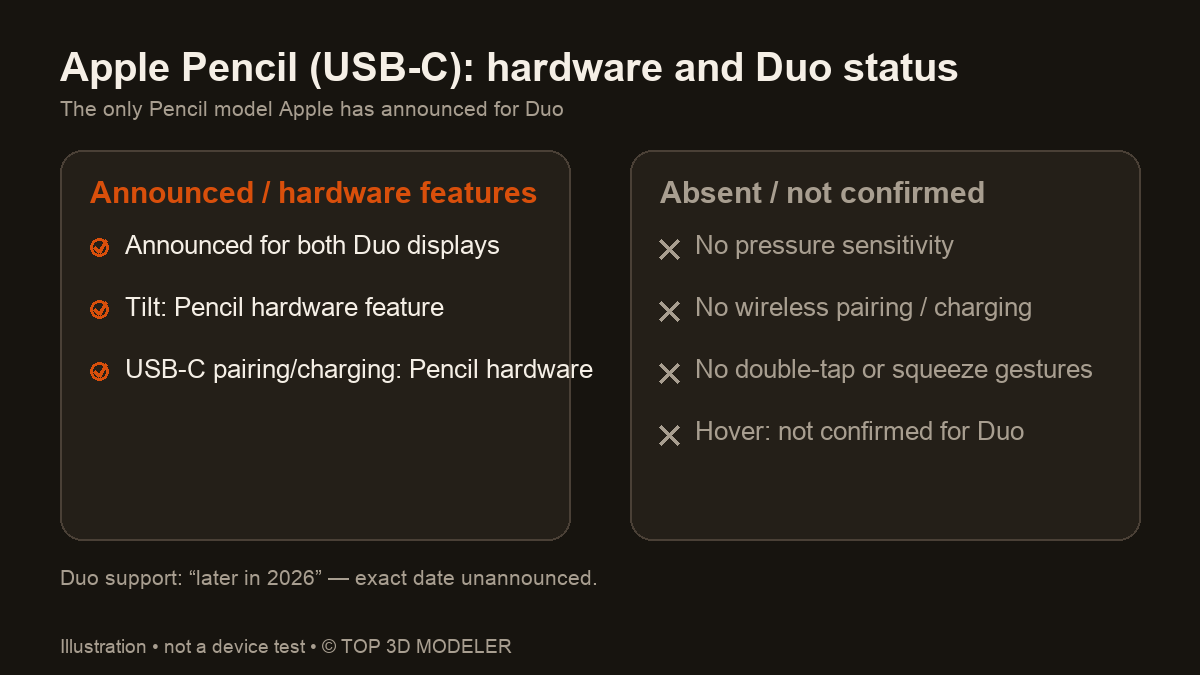
Pencil Pro and the 1st/2nd-generation models aren't listed for Duo. That's unannounced, not impossible — but don't build a buying decision on it. Third-party active styluses are likewise unverified.
Hardware support vs app support
This is the distinction most coverage will blur. Apple providing Pencil events on the display is one layer; a given app doing something useful with them is another.
| Layer | Status for iPhone Duo |
|---|---|
| OS-level Pencil input | Announced — USB-C model, both displays, later this year |
| Tilt data | USB-C Pencil hardware feature; Duo/app behavior unverified |
| Pressure data | Not available — the Pencil has no pressure sensor |
| App layouts for the foldable | Up to each developer via Apple's SDKs — not guaranteed at launch |
| iPad-only apps on Duo | No — Duo runs iOS, a bigger screen changes nothing there |
If apps handle it well, Pencil input could mean precise pointing for selection and annotation. Whether each app receives and uses the Pencil's tilt data on Duo is unverified — and pressure-sensitive sculpting is out either way, since this stylus has no pressure sensor.
What this means for 3D apps — categories, not promises
We have not tested anything below on iPhone Duo. These are the app categories to watch, sorted by how plausible the fit is:
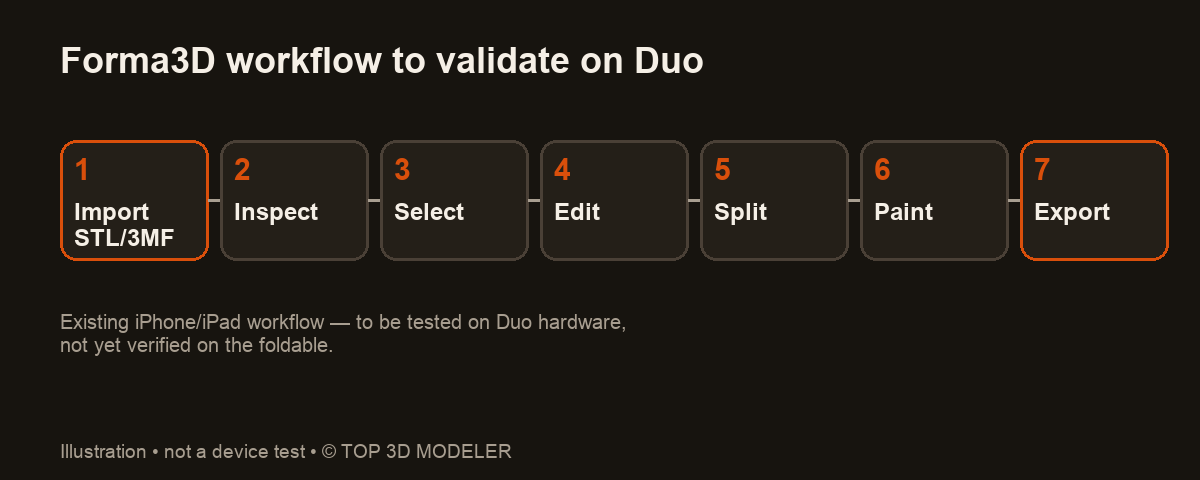
- iPhone-capable mesh editors. Apps that already ship on iPhone — for example Forma3D, which edits STL/3MF meshes on iPhone and iPad — are the natural candidates for Duo. The existing iPhone workflows are what needs validating on the new displays: selection accuracy, viewport layout, palm rejection. We have not verified it on the hardware.
- Sculpting apps. Check each app's iPhone availability rather than assuming an iPad listing covers Duo. Whatever sculpting app you pick, remember the announced Pencil has no pressure sensor — brush strength must use the app's non-pressure controls, and behavior depends on the app.
- iPad-only CAD. Don't expect it. Tools built for iPadOS don't gain compatibility from a foldable iPhone screen.
- Scanning. Whether Duo supports LiDAR or Object Capture workflows is unverified — check in-app on real hardware before planning a scan-to-print pipeline.
Duo vs an iPad: the honest buying call
If your goal is 3D modeling with a stylus today, a compatible iPad remains the safer choice: mature apps, Pencil Pro with pressure sensitivity, hover — all verified, all shipping now.
iPhone Duo's case is different: it's a phone that happens to open into a small canvas. Buy it because you want the foldable — with the knowledge that Pencil support has no announced activation date, the stylus lacks pressure sensitivity, and app behavior on Duo is unverified. If it delivers, a foldable iPhone could be a genuinely useful pocketable mesh-editing device. We'll update this article once hardware and apps can actually be tested.
Some outbound store links may earn a commission; this source-based preview contains no hands-on ranking.
Sources
- Apple — iPhone Duo product page & FAQ (checked October 19, 2026)
- Apple Newsroom — "Apple unveils iPhone Duo" (September 9, 2026)
- Apple — iPhone Duo technical specifications (checked October 19, 2026)
- Apple — Apple Pencil feature comparison (checked October 19, 2026)
FAQ
Does iPhone Duo support Apple Pencil?
Yes — Apple Pencil (USB-C). Apple's iPhone Duo FAQ confirms it, and the specs page lists Pencil support under both displays, footnoted as 'later this year' — with no activation date or iOS version announced, so don't assume it works at launch.
Is iPhone Duo out yet?
No — as of October 19, 2026 it's announced but unreleased. Preorders started October 16, first availability is October 23, and 28 more countries and regions follow on October 30.
Which Apple Pencil works with iPhone Duo?
Only Apple Pencil (USB-C) is listed by Apple. Pencil Pro and the 1st/2nd-generation models are unannounced for Duo — not confirmed incompatible, but not something to count on.
Does the USB-C Pencil have pressure sensitivity for sculpting?
No. Per Apple's comparison page it has tilt as a hardware feature but no pressure sensor, wireless pairing/charging, double-tap, squeeze, barrel roll, haptics or Find My. Whether a given Duo app uses tilt needs testing.
Will iPad 3D apps run on iPhone Duo?
Not automatically. Duo runs iOS, not iPadOS — a bigger unfolded screen doesn't make iPad-only software compatible. Apps that already ship an iPhone version are the candidates.
Can iPhone Duo 3D-scan objects?
Unverified. Apple's published materials don't let us confirm LiDAR or Object Capture support on Duo — check scanning features in-app once hardware is out.
Is iPhone Duo good for 3D modeling?
On paper it's a promising iPhone: a 7.6-inch canvas plus announced Pencil input. But we have not verified any 3D app on it, Pencil support has no announced activation date, and the USB-C model lacks pressure sensitivity. A compatible iPad remains the safer buy today.
Keep reading